Facility Maintenance & Helpdesk
Tired of downtime and disorganized service logs? Gain complete control over every repair, service request, and recall with one powerful digital solution.

1

STILL REACTING TO EQUIPMENT FAILURE INSTEAD OF PREVENTING THEM?

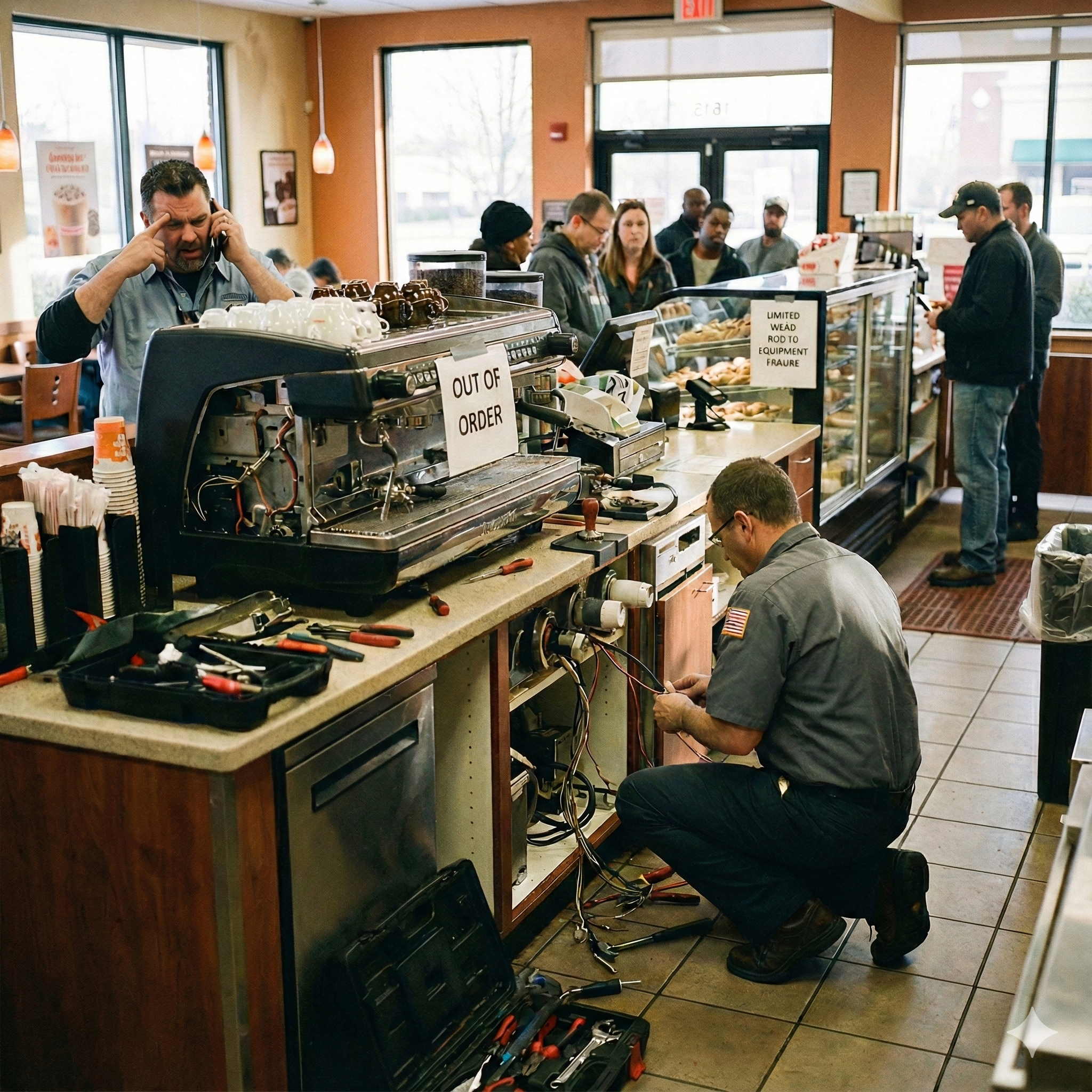
In the demanding QSR environment of 2025, a reactive approach to facilities and equipment maintenance is a recipe for escalating costs – with unplanned equipment downtime potentially costing facilities an average of $108,000 per hour – and significant operational disruptions. Manual logs and disconnected communication channels mean you lack the crucial data to identify recurring problems (often linked to aging equipment, a leading cause of over 40% of unscheduled downtimes), manage vendor contracts effectively, or ensure consistent compliance with safety and operational standards across your franchise network. This vulnerability can lead to unexpected breakdowns, potential safety hazards, and difficulties in proving due diligence.

Workpulse Desk transforms your maintenance operations with data-driven insights and proactive control. Our comprehensive digital platform centralizes all your service and maintenance ticketing, providing the tools to anticipate needs and manage risks effectively. Companies investing in modern maintenance programs have seen downtime decrease by an average of 44%.

Key Advantages for Proactive Franchise Management:

  • Shift from Reactive to Proactive Maintenance: Leverage detailed equipment service histories and reporting to spot trends and anticipate failures. Implementing proactive maintenance can extend asset lifespan by up to 11-20% and reduce overall maintenance costs significantly compared to reactive work, which can be up to five times more expensive.
  • Ensure Consistent Compliance & Safety: Maintain a complete, easily accessible digital audit trail for all maintenance activities. This is crucial for safety inspections, demonstrating adherence to brand standards, and helping to meet regulatory requirements effortlessly.
  • Optimize Vendor Performance & Spending: Track all vendor interactions, response times, and costs in one place. Centralized data supports better negotiation and can contribute to the 15-30% cost-cutting potential seen when digitizing maintenance operations.

Streamline Critical Issue Resolution: From urgent equipment breakdowns (where recovery can average over 80 minutes) to managing specialized tasks like product recalls (via the Recall Service Board), ensure swift, coordinated, and documented responses across all affected locations.
https://www.workpulse.com/wp-content/uploads/2025/12/Gemini_Generated_Image_2rqv1j2rqv1j2rqv.png

SEE EVERYTHING IN ONE PLACE: THE DESK CENTRALIZED DASHBOARD

IMG_0766
IMG_0764
IMG_0765
  • Unified Operational View: Consolidate all your service interactions. Easily navigate between your internal Network tickets, external Customer Service requests, Vendor Service Board communications, and urgent Recall alerts from one central screen.
  • Immediate Issue Identification: The dashboard clearly displays counts of tickets by status – Open, In-Progress, Closed, Expired – allowing you to instantly spot bottlenecks or overdue items needing immediate attention.
  • Focused Workflows: Location managers and team members can quickly see tickets assigned to them in the “My” tickets view, while regional managers can get a broader “All” tickets perspective for their areas of responsibility.

Recall Ticket Prioritization: Critical recall tickets, automatically generated via the Belltower integration, are flagged high priority by default, ensuring they are front and center on the dashboar

LOG, TRACK, AND RESOLVE ANY ISSUE: EFFORTLESS TICKET MANAGEMENT

Take full command of how service requests and maintenance issues are handled across your QSR network. Workpulse Desk offers deep customization and control, ensuring your ticketing process aligns perfectly with your operational needs.

Manage every detail with precision:

  • Tailored Ticket Information: Create tickets with all necessary fields: specify the Service Board, exact Location, custom Category/Sub-category, link to an Asset, provide a clear Title & Description, set Priority & Due Date, and include rich attachments (images, PDFs, voice notes).
  • Full Lifecycle Management: From creation through resolution, empower your team with a suite of actions: comment with media, track expenses, share with stakeholders, update ticket status, edit information, and assign or reassign to ensure accountability and progress.
  • Hierarchical Categories & Ownership: Define clear ticket categories and sub-categories, and assign default owners at the organizational, regional, or location level to ensure tickets automatically route to the correct team or individual for faster response.
  • Planned Maintenance Schedules: Utilize the scheduling feature to set up one-time or recurring tickets for preventative maintenance on equipment or facility upkeep, helping to reduce unexpected breakdowns.

Involve External Teams: Grant “External Employee” access to specific service providers, allowing them to view and manage tickets assigned to them directly within Desk, streamlining third-party maintenance

IMG_0769
IMG_0771
IMG_0767
IMG_0768

DEDICATED BOARDS FOR EVERY TASK: INTERNAL, CUSTOMER, VENDOR, & RECALL MANAGEMENT

snipcapture-11-26-2025_at_13-29-55 - Copy
snipcapture-11-26-2025_at_13-29-18 - Copy
snipcapture-11-26-2025_at_13-29-18
snipcapture-11-26-2025_at_13-29-44

Your QSR operations involve more than just internal maintenance. Workpulse Desk provides distinct Specialized Service Boards to manage every type of service request and issue efficiently, ensuring clarity and dedicated workflows for different needs.

  • Network Service Board (Internal Focus): Your go-to for all internal facility and equipment maintenance. Log a broken freezer, a POS system glitch, or a plumbing issue, and track it from report to resolution within your own team and locations.
  • Customer Service Board (External Service Delivery): If your franchise offers services to other businesses (e.g., catering, local deliveries), manage these incoming customer requests professionally. This board acts as your service hub, even allowing external customers to submit requests (requires Vendor Service Board subscription for them).
  • Vendor Service Board (Managing Your Suppliers): Streamline interactions with your external service providers. Log issues for equipment under warranty, schedule services from your approved vendors, and track their performance. You can also subscribe to services offered by vendors through this board.

Recall Service Board (Critical Product Safety): A vital tool for QSRs. This board seamlessly integrates with the Belltower system to manage urgent product recalls. Recall tickets are automatically generated, flagged as high priority, and assigned to location managers for immediate action, ensuring swift compliance and consumer safety. Stakeholders can access detailed recall information via URLs on Desk tickets, linking to the Belltower site for transparency.

MEASURE WHAT MATTERS: COMPREHENSIVE DESK REPORTOMH AND ANALYTICS

Don’t just manage tickets—learn from them. Workpulse Desk provides a robust suite of reports that transform your service and maintenance data into actionable intelligence, helping you optimize efficiency and control costs across all your QSR locations.

Gain critical insights to manage your network effectively:

  • Ticket Analytics: Get a clear overview of ticket volumes (open, closed), and average closing times, categorized by regions, sub-regions, and locations. Understand where your maintenance efforts are focused.
  • Ticket Completion Reports: Track the efficiency of ticket resolution by month or quarter, including average closing times for each ticket category, both overall and by region. Customize these reports using the Field Chooser and save your favorite views.
  • Ticket Expense Tracking: Monitor and manage costs associated with service requests and maintenance with detailed Ticket Expense reports. Filter by date, expense range, and even asset-specific tickets.
  • Ownership & Efficiency Analysis: Understand who is responsible for tickets with the Ticket Ownership report and assess team performance with User Efficiency reports, which show resolution times against organizational averages.
  • Monitor Critical Timelines: Keep track of tickets nearing their due date or already overdue with Ticket Expiring/Expired reports.
  • Centralized View: The All Service Board Summary provides a high-level overview of ticket statuses across your Network, Vendor, and Customer service boards.
snipcapture-11-26-2025_at_13-29-55 - Copy
snipcapture-11-26-2025_at_13-29-55
snipcapture-11-26-2025_at_13-30-36
snipcapture-11-26-2025_at_13-29-44

CONTROLLED PERMISSIONS, EASY LOGINS: DESK USER MANAGEMENT

IMG_0790
snipcapture-11-26-2025_at_13-29-55
  • Ensure the right people have the right level of access to your facilities and equipment maintenance data. Workpulse Desk combines comprehensive security with user-friendly features, making it easy to manage permissions across your entire QSR network.

    Key features for secure and efficient user management:
    • Granular Role-Based Permissions: Assign specific permissions for different service boards (Network, Customer, Vendor, Recall), ticket actions, administrative settings, and report access based on job titles. Ensure managers have full oversight while team members can focus on their assigned tasks.
    • Tailored Account Types for Your Team:
      • Full Accounts: Provide managers and key personnel with comprehensive access using standard email-based logins.
      • PIN-Only Users: Simplify access for frontline staff. Create accounts with just a name and a unique PIN, eliminating the need for individual email addresses – perfect for quick and secure logins.
      • External Employee Access: Grant limited Desk access to your external service providers or contractors, allowing them to manage tickets assigned directly to them.
    • Streamlined Shared Device Login (MDR): In the fast-paced QSR environment, our Mobile Device Registration (MDR) feature allows any team member to log in instantly to a registered shared tablet using only their personal PIN. No more waiting for a manager to sign in first, significantly boosting efficiency.
    • Complete Accountability: Every significant action within Desk, from ticket creation and updates to status changes and comments, is tracked with user, date, and time stamps, providing a clear audit trail.

YOUR ADVANTAGE: KEY FEATURES AT A GLANCE

Capabilities:

  • Ticket Creation: Ability to create tickets with all necessary fields, including Service Board, Location, Category, Priority, Due Date, and attachments (images, PDFs, voice notes).
  • Ticket Lifecycle Management: Empowers the team to comment with media, track expenses, share, update status, and reassign tickets.
  • Specialized Service Boards: Provides distinct workflows for Internal Network Service (facilities/equipment) ,
    Vendor Service (supplier management), Customer Service (external requests) , and Recall Service (urgent product safety).
  • External Service Access: Ability to grant “External Employee” access to external service providers and contractors, allowing them to manage their assigned tickets directly.
  • Planned Maintenance: Functionality to set up one-time or recurring tickets for preventative maintenance on equipment or facility upkeep.

Reporting and Analytics 

  • Unified Operational View: High-level dashboard oversight displaying real-time status of tickets by type (Open, In-Progress, Closed, Expired) across all QSR locations.
  • Ticket Analytics & Volume: Provides a clear overview of ticket volumes, average closing times, categorized by region and location.
  • Financial Tracking: Includes detailed Ticket Expense Tracking to monitor costs associated with service requests, filterable by date and asset.
  • Efficiency Analysis: Features User Efficiency reports to assess team performance based on resolution times against organizational averages.
  • Critical Timelines: Reports to track tickets that are nearing their due date or already overdue (Expiring/Expired reports).
  • Centralized Summary: The All Service Board Summary provides a high-level overview of ticket statuses across Network, Vendor, and Customer boards.

Admin Capabilities

  • Workflow Tailoring: Ability to tailor ticket categories and sub-categories and define default owners (organizational, regional, or location level) to ensure automatic routing.
  • Ticket Definition: Administrators create tickets with necessary fields (Service Board, Location, Asset, Priority, Due Date).
  • Granular Role-Based Permissions: Assign specific permissions for different service boards, ticket actions, and reports based on job titles.
  • Simplified Staff Access: Supports PIN-Only Users for quick and secure logins for frontline staff.
  • Shared Device Login (MDR): Mobile Device Registration (MDR) allows any team member to log in instantly to a registered shared tablet using their personal PIN.
  • Complete Accountability: Every significant action is tracked with user, date, and time stamps, providing a clear audit trail.
  •  
IMG_0766
IMG_0765
IMG_0769
IMG_0771
IMG_0767
IMG_0768
snipcapture-11-26-2025_at_13-29-55 - Copy
snipcapture-11-26-2025_at_13-29-55
IMG_0790
snipcapture-11-26-2025_at_13-29-44
snipcapture-11-26-2025_at_13-30-36
snipcapture-11-26-2025_at_13-29-55
snipcapture-11-26-2025_at_13-29-55 - Copy
snipcapture-11-26-2025_at_13-29-44
snipcapture-11-26-2025_at_13-29-18
snipcapture-11-26-2025_at_13-29-18 - Copy
IMG_0764

Our Clients

Taco-Bell
Firehouse-Subs
Cafua
McAlisters-Deli
Juice-Press
Aloha-Petroleum
ihop
Aloha-Island-Mart
6
7
8
9
10
11
12
13
14
15
16
17
1
2
3
4
5
Untitled design

Download the Brand Standards & Food Safety Compliance brochure

Download Brochure

Why Choose Workpulse?

https://www.workpulse.com/wp-content/uploads/2021/07/automated-tasks.png

Automated
Tasks

Our brand standards and food safety compliance management solution allows all quality checks and related activities to be planned, scheduled, and executed in a properly organized manner.

https://www.workpulse.com/wp-content/uploads/2021/07/corrective-action.png

Corrective
Actions

Our restaurant operating system allows corrective actions to be created and assigned to non-compliant tasks. Managers can view the history and status of corrective actions, and make informed decisions in real time.

https://www.workpulse.com/wp-content/uploads/2021/07/IQ.png

Workpulse
Intelligence

We have integrated the Workpulse restaurant business intelligence engine in the restaurant management system. Now you can easily access real time reports and actionable data to make informed decisions on time.
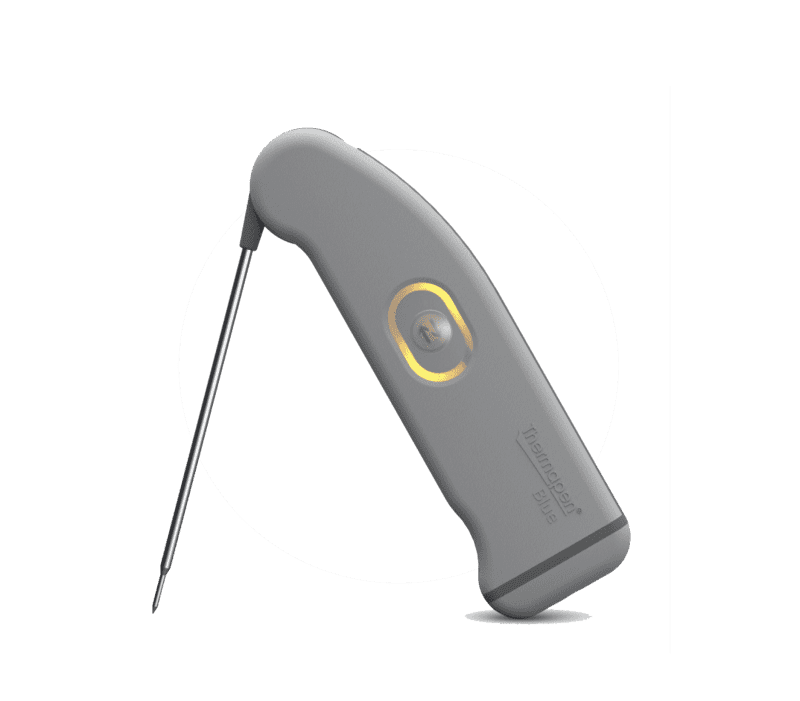
https://www.workpulse.com/wp-content/uploads/2021/07/bluetooth-thermometer.png

Bluetooth
Thermometer

We have integrated ThermoWorks Thermapen Blue, an advanced Bluetooth temperature in your restaurant operating system probe that performs line checks faster and more accurately with readings saved directly to the device.

Book a FREE CONSULTATION

Get in Touch

Do you have some suggestions or features that you would love to see in the Workpulse Platform? Would you like to know more about our latest features and platforms? Call us or send an email and let’s meet up for a virtual coffee chat.
Address
2 Eastwick Dr, Suite 200,
Gibbsboro, NJ 08026
Call us
1-856-282-6042
(For Sales & Support)
Email
support@workpulse.com
sales@workpulse.com